2.2.2 - Sample Search
Create the path-planner and plan the path.
planner = RRT(map_=map_, start=start, goal=goal)
path, path_info = planner.plan()
print(path)
print(path_info)
Print results:
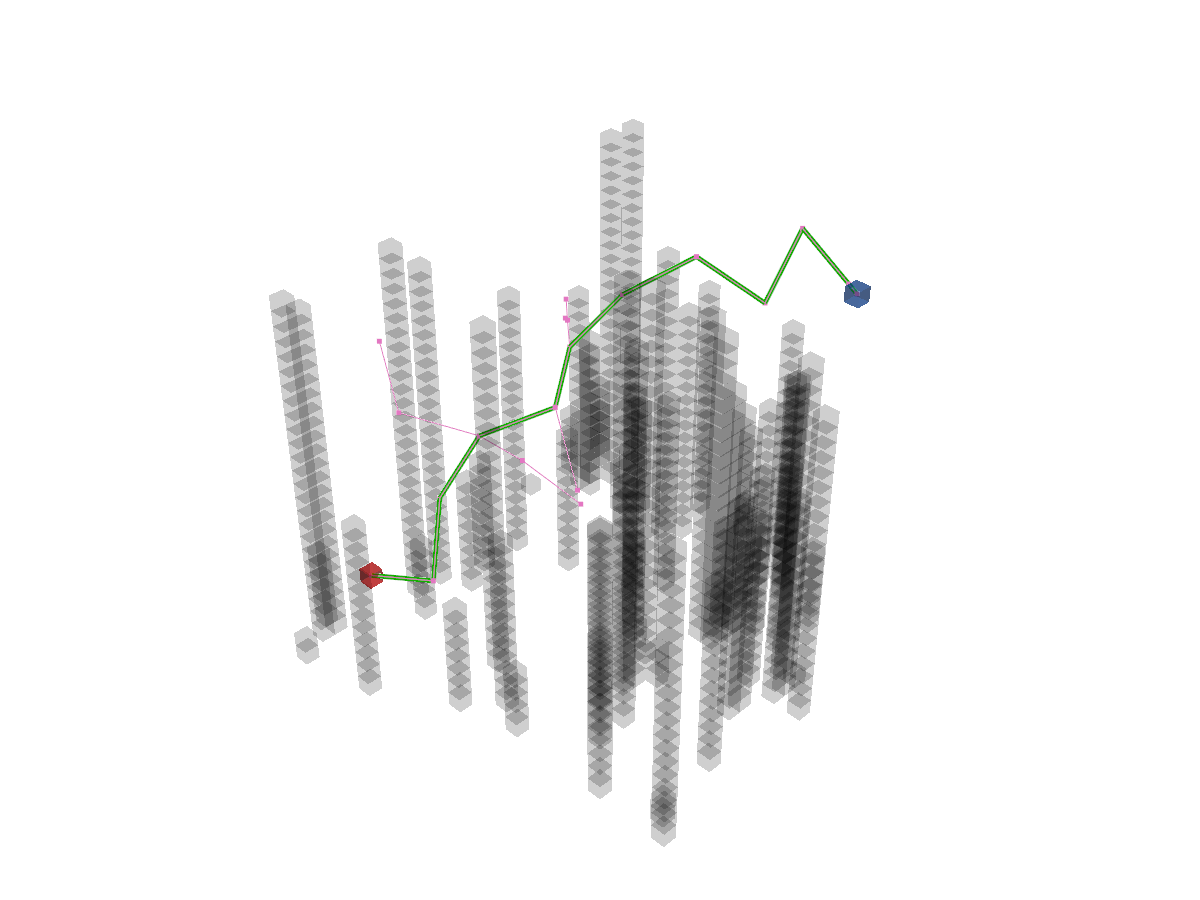
[(25, 5, 5), (23.77816712923369, 9.597070355743302, 6.5408012786407985), (21.443019357729053, 7.8006963883857106, 10.580618781280847), (19.379590365687978, 9.324851433919019, 14.872379747595225), (16.327834122104335, 12.651561812246971, 17.021747535683932), (12.375445502912518, 9.809796156550567, 18.163234356014062), (10.4450443760546, 12.320361503622738, 22.032422013327423), (7.6796466024794565, 15.520628159102692, 24.699043187721863), (5.026879620358288, 18.624158686539474, 21.81270890288309), (3.260514828065661, 19.586636929846392, 26.390218165758466), (4.746375019848422, 24.210706637013622, 25.202700235900696), (5, 25, 25)]
{'success': True, 'start': (25, 5, 5), 'goal': (5, 25, 25), 'length': 50.85346179120417, 'cost': 50.85346179120417, 'expand': {(25, 5, 5): Node((25, 5, 5), None, 0, 0), ...}}
Visualize.
vis = Visualizer3D()
vis.plot_grid_map(map_)
vis.plot_path(path)
vis.plot_expand_tree(path_info["expand"])   # sample-search-featured expand tree
vis.show()
vis.close()
Runnable complete code:
import random
random.seed(0)

import numpy as np
np.random.seed(0)

from python_motion_planning.common import *
from python_motion_planning.path_planner import *
from python_motion_planning.controller import *

map_ = Grid(bounds=[[0, 31], [0, 31], [0, 31]], resolution=1.0)
for i in range(75):
    rd_p = tuple(np.random.randint(0, 30, size=3))
    map_[rd_p[0], rd_p[1], :rd_p[2]] = TYPES.OBSTACLE
map_.inflate_obstacles(radius=3)

start = (25, 5, 5)
goal = (5, 25, 25)

map_[start] = TYPES.START
map_[goal] = TYPES.GOAL

planner = RRT(map_=map_, start=start, goal=goal)
path, path_info = planner.plan()
print(path)
print(path_info)

vis = Visualizer3D()
vis.plot_grid_map(map_)
vis.plot_path(path)
vis.plot_expand_tree(path_info["expand"])
vis.show()
vis.close()
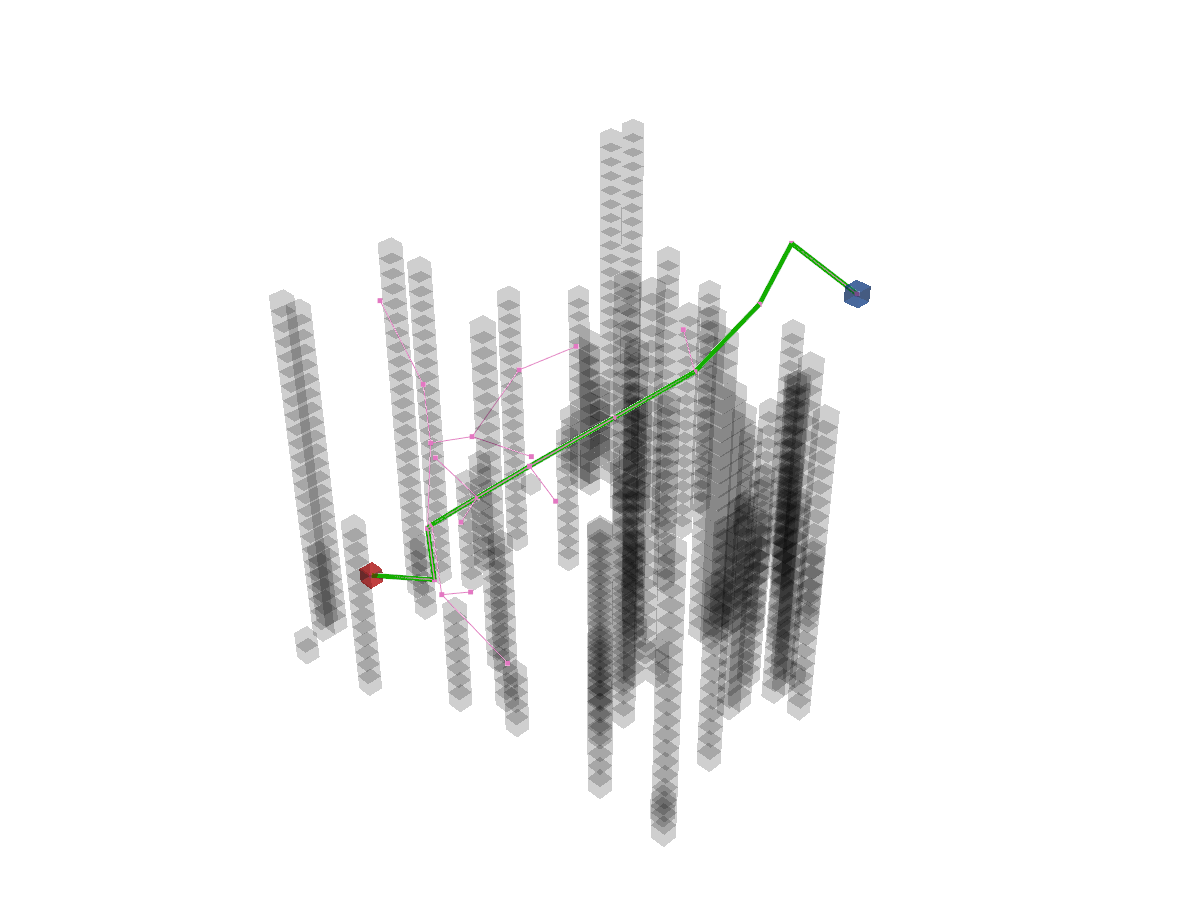
discrete to True. For example:
Print results:
[(25, 5, 5), (24, 10, 7), (25, 11, 12), (27, 14, 15), (27, 18, 19), (26, 21, 22), (21, 22, 23), (16, 23, 24), (11, 23, 26), (6, 21, 27), (5, 25, 25)]
{'success': True, 'start': (25, 5, 5), 'goal': (5, 25, 25), 'length': 51.21681787317005, 'cost': 51.21681787317005, 'expand': {(25, 5, 5): Node((25, 5, 5), None, 0, 0), ...}}
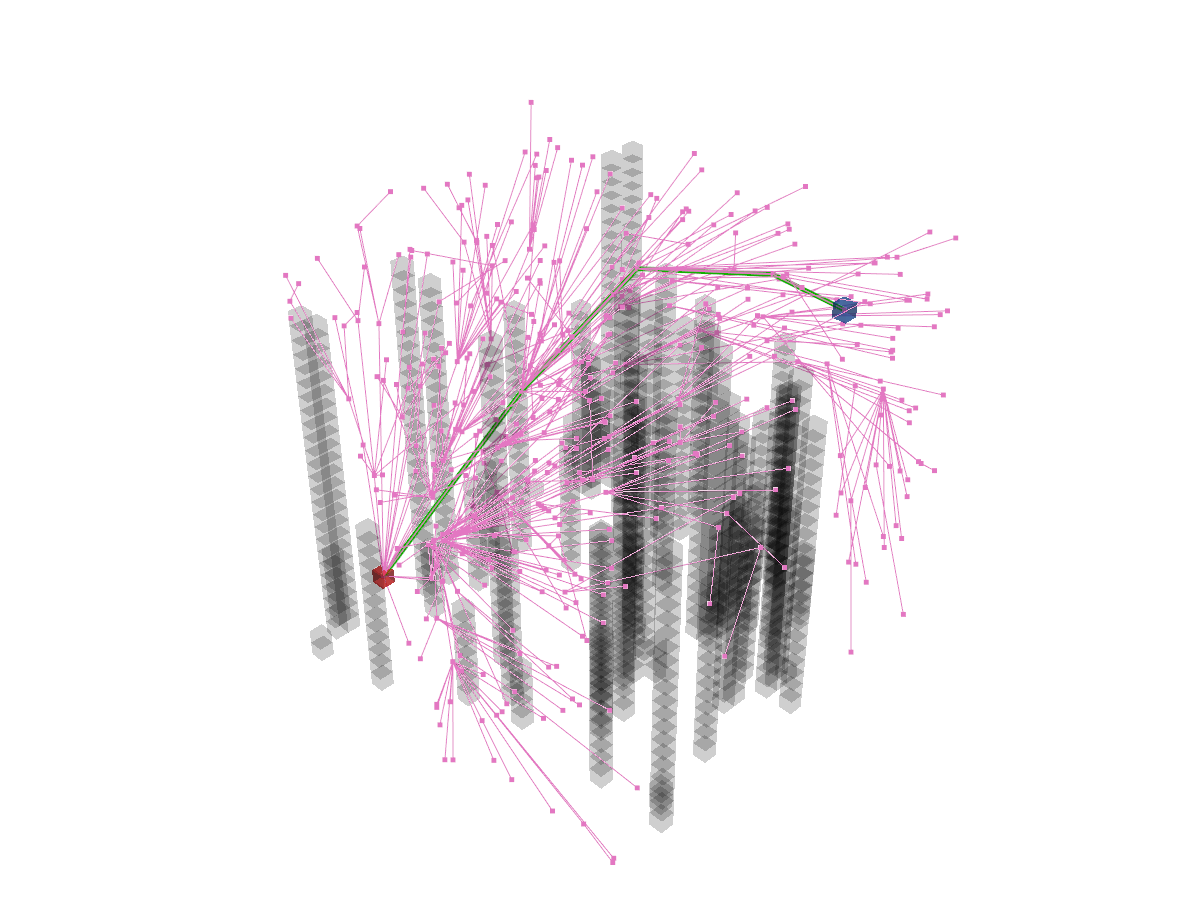
For asymptoticaly optimal sample search planners like RRT*, you can pass a callable function to argument stop_func to determine when to stop sampling. For example:
planner = RRTStar(map_=map_, start=start, goal=goal, stop_func=lambda current_step, first_success_step, max_step: (current_step >= first_success_step * 10 if first_success_step is not None else False) or (current_step >= max_step))
For the arguments of stop_func, current_step means the current step iteration, first_success_step means the first successful step to find the feasible path, and max_step means the maximum sampling step number determined by max_sample_step argument. This lambda function means to stop sampling when the number of sampling steps reaches 10 times the number of steps successfully found a feasible path for the first time.
For more sample search planners and their arguments, please refer to API Reference.